


For private customers
At checkout, product prices are automatically adjusted according to the VAT rate in your delivery country.

No country found
In today’s digital world, reliable server hardware is the foundation of a successful business. Whether you run a small start-up, a growing mid-sized company or a large corporate data centre, choosing the right server determines the performance, security and scalability of your systems. This category features a wide range of solutions to help you build a stable, future-proof IT infrastructure. Here you’ll find everything you need, from ready-to-use systems to components for building a professional server tailored to your unique requirements.
We understand that finding the right solution can be challenging. Do you need a simple file server for your office or a complex virtualisation server? Our goal is to make the process easier by providing detailed product descriptions and expert information, so you can make an informed decision. If you’re wondering which server is right for you, you’ve come to the right place. Our server store offers a wide selection, with every server price clearly displayed for a transparent shopping experience.
Buying a server isn’t something you do every day, and the wide range of options can be daunting at first. We’ll focus on the key considerations to help you find the right machine for your needs, whether it’s your first server for a small business or an upgrade to your existing setup.
First, decide on the server’s physical form factor. The choice largely depends on the space you have and your plans for the future.
The processor is the server’s brain. Today, the market is dominated by two main manufacturers: Intel Xeon and AMD EPYC. Both offer a wide range of models, from processors with a few cores to flagship models with hundreds. Your choice depends on the workload—databases and virtualisation require more cores and higher clock speeds. A good server processor is an investment in the future.
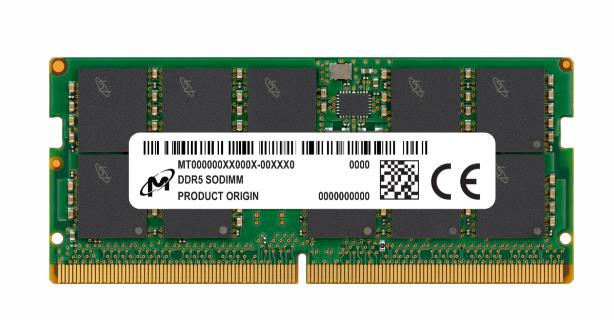
Memory (RAM) is another critical component. Servers use ECC (Error-Correcting Code) memory exclusively. This server memory can detect and correct minor memory errors on the fly, which could otherwise cause a standard computer to crash. Never compromise on ECC—it’s the foundation of server stability. If you’re buying server memory separately, make sure it’s compatible with your motherboard.
Storing data is one of a server’s main jobs. There are several options:
Most servers use RAID (Redundant Array of Independent Disks) technology, which combines multiple drives into a single logical unit to provide faster performance, data protection through mirroring, or both. Make sure your chosen server has a high-quality RAID controller.
Alongside ready-to-use solutions, we offer a wide range of bare server chassis for anyone who wants to build their own server. A server chassis or server case is the foundation of your system. Choosing a bare chassis gives you complete freedom to select the server components that suit you: the motherboard, processor, memory and drives.
When choosing a chassis, consider the following features:
Ordering a server from our online store is convenient and secure. Compare different models and their specifications at your own pace to find a solution that fits your budget and needs. We offer a wide range of products in stock and provide a warranty on every item. If you need to connect your server to a network, you’ll also find suitable switches and networking equipment here. Or, if your server’s internal storage isn’t enough, you can always add an external network storage system.
| Question | Answer |
|---|---|
| What’s the difference between a server and a powerful desktop computer? | Although the components may look similar, servers are built for 24/7 reliability and stability. They use specialised hardware such as ECC memory, redundant power supplies and server-grade processors designed for continuous workloads. They also offer advanced remote management capabilities. |
| What is ECC memory, and why is it important? | ECC (Error-Correcting Code) is a type of memory that can automatically detect and correct single-bit memory errors. In servers, where data integrity is critical, it helps prevent data corruption and system instability that can occur with standard (non-ECC) memory. |
| Can I install regular Windows 11 on a server? | Technically, this is often possible, but it isn’t recommended. Specialised operating systems are designed for servers (e.g. Windows Server or Linux distributions such as Ubuntu Server or RHEL). They’re optimised for server hardware and workloads, offering better performance, security and management tools. |
| How much electricity does a server use? | Power consumption varies considerably depending on the server’s configuration (number and power of processors, number of drives, etc.) and workload. A small tower server may use about as much power as a high-performance desktop computer (100-300W), while a rack server running at full capacity in a data centre may use 1000W or more. In the long run, an energy-efficient server is always more cost-effective. |